
BLOG
Is the Post-CMS Era Coming? Automating the Admin UI with CLI Technology
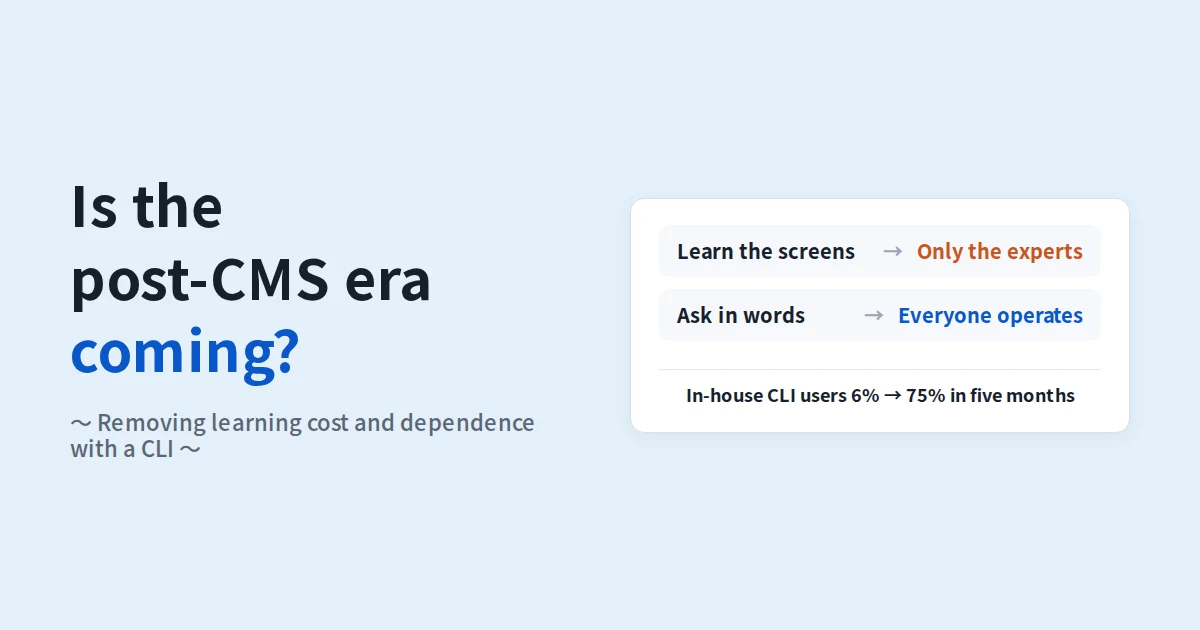
Only a few people can use the admin screen (the CMS), so every update goes through them. This happens in many companies, and the cause is the learning cost of the admin screen. Only those who have learned the layout, the order of inputs and the steps to publish can operate it; everyone else has to ask.
We solved this not by making the screen easier to learn, but by not operating the screen at all. You ask in words from your own terminal, and a CLI (a tool driven by commands) together with AI agents operates the system for you. When we switched our own project management tool, projectAI, to this form, the share of our staff using the CLI grew from 6% to 75% in five months, and 86% of tasks are now created through it.
This article explains why learning cost creates dependence on individuals, how a CLI removes it, and what actually happened at our company, with week-by-week records.

Learning cost creates dependence
An admin screen takes a lot of learning before it is usable: which menu holds what, which fields are required, what size images must be, what to check before publishing. Each item is small, but together they separate the people who have learned it from those who have not.
Once that gap exists, updates flow to the people who have learned. Asking is easy, but the update waits until that person is free. When that person moves or leaves, the procedure leaves with them. Admin-screen dependence is not a question of ability; it is a question of where the learning cost sits.
There is a second side effect. Screen operations leave few records. The screen's history may show who changed what and when, but not why, or whether it was checked. That lives only in the head of the person who was asked.
A CLI and AI agents remove what has to be learned
Our approach was not to make the admin screen easier to learn, but to stop operating it. From your own terminal you ask in words: "make this article a draft", "mark this task done and leave the test result as a comment". An AI agent turns that into commands, and the CLI operates the system.
What has to be learned shifts from the layout of screens to what you want done. If you can say it, it runs, so people who have never learned the screen can operate it themselves. The person you ask changes from "the expert" to "your own terminal".
When operations become commands, the side effect changes too. Every operation is left as text: who changed what, when, and for what reason. The "why" that screen operations never captured is kept as the one line you add to the command.
What actually happened in projectAI
We built projectAI, which manages everything from estimates to operations in one place, started using it in spring 2026 and moved the whole company onto it in July. At first there was only the admin screen. On 19 May we released the CLI and made it operable from AI agents.
We aggregated what happened next, week by week, from projectAI's own records.


Three figures show that the dependence has gone.
- Of the staff who operate projectAI, the share using the CLI grew from 6% in May (1 of 16) to 75% in October (12 of 16). Nobody was asked to use it; people saw a colleague's work speed up and started using it themselves.
- Before the CLI, tasks were created only from the screen, about 100 a week. By October it was 150 to 250 a week, 86% of them through the CLI. Creation from the screen fell to 20 to 70 a week.
- Progress and test records (comments) were only about 10 a week before. In September and October they were around 140 a week, more than 90% written through the CLI. Records that were too much trouble to leave on the screen are now the one line added to a command.
The number of tasks completed did not change much before and after. What changed is the number of people who can operate the system and the volume of records. Removing dependence does not mean more work; it means the same work can be moved forward by anyone, and what was done stays on record.
This site is updated the same way, without opening the admin screen
We use the same mechanism to publish articles on the company site. This article was written in a local text file, saved as a draft with one command, checked, and published with another. The admin screen was never opened. Registering images, publishing and producing the English version follow the same steps.
The admin screen does not become unnecessary. Approval flows, permissions and change history remain as mechanisms behind the screen. What disappears is the time spent learning screens; what stays is judgement and control.
Where it fits, and where the admin screen is still better

It fits companies with frequent updates and records, several people involved, and a wish to cut the learning burden. If only one person knows the admin screen, the effect shows immediately.
Where the editors are all non-engineers who need forms and a preview, where multi-step approvals are required, or where permissions must be finely divided, the admin screen is still the more complete tool for now. These can also be built behind commands, but at this point the screen handles them better.
FAQ
Do we have to abandon our existing CMS or business system?
No. Data stays in the current system; a CLI and AI agents are added as another way in. Our projectAI keeps its admin screen as well.
Can non-engineers use it?
Yes. You do not memorise commands; you ask in words, so neither the screens nor the commands have to be learned. Our CLI users started on their own after seeing a colleague's work speed up.
Could something be published by mistake?
Saving a draft and publishing are separate commands, and the procedure checks the rendered page before publishing. Operations with large consequences include a human check, the same role the confirm button plays on an admin screen.
How do we measure the effect?
Three things: how many people can operate the system, how many records are left, and how long it takes from a request to its reflection. We tracked the number of CLI users and the share of tasks and records coming through the CLI, week by week.
Can this be introduced into our own operations?
Yes. Pick one task with frequent updates or records and turn its operations into commands. The process is described under AI implementation support, and the projectAI example under projectAI in company-wide use.
Summary
Admin-screen dependence is a matter of learning cost, not ability. Give people a way in that does not require learning the screen, and the structure of relying on the few who learned it disappears. We made a CLI and AI agents that way in; in five months the share of our staff who can operate the system grew from 6% to 75%, and the volume of records grew more than tenfold.
The CMS does not go away. The time spent learning its screens does. If turning the entry point of your operations into words interests you, ask a project manager directly through our free estimate consultation.
Related articles and pages
- Case study: projectAI in company-wide use, 45 AI features and where human approval sits
- What it means to delegate work to AI: what running Mr.AI in-house taught us
- AI implementation support: from PoC to production and in-house capability
- Free estimate consultation: talk to a project manager to see the scope and cost range
Source: projectAI records (tasks created, comments, number of users; weekly, April to 14 October 2026; AI-generated tasks excluded).